Layers
Lumi’s layer system gives an illustration structure. It lets artists separate sketching, colour, shading, texture, masks, adjustments, experiments, and final detail without committing every decision directly into one flat image.
Layers are not just a stack of pixels. They carry visibility, blending, masks, locks, effects, grouping, and compositing behaviour, making them the foundation for flexible, non-destructive painting workflows.
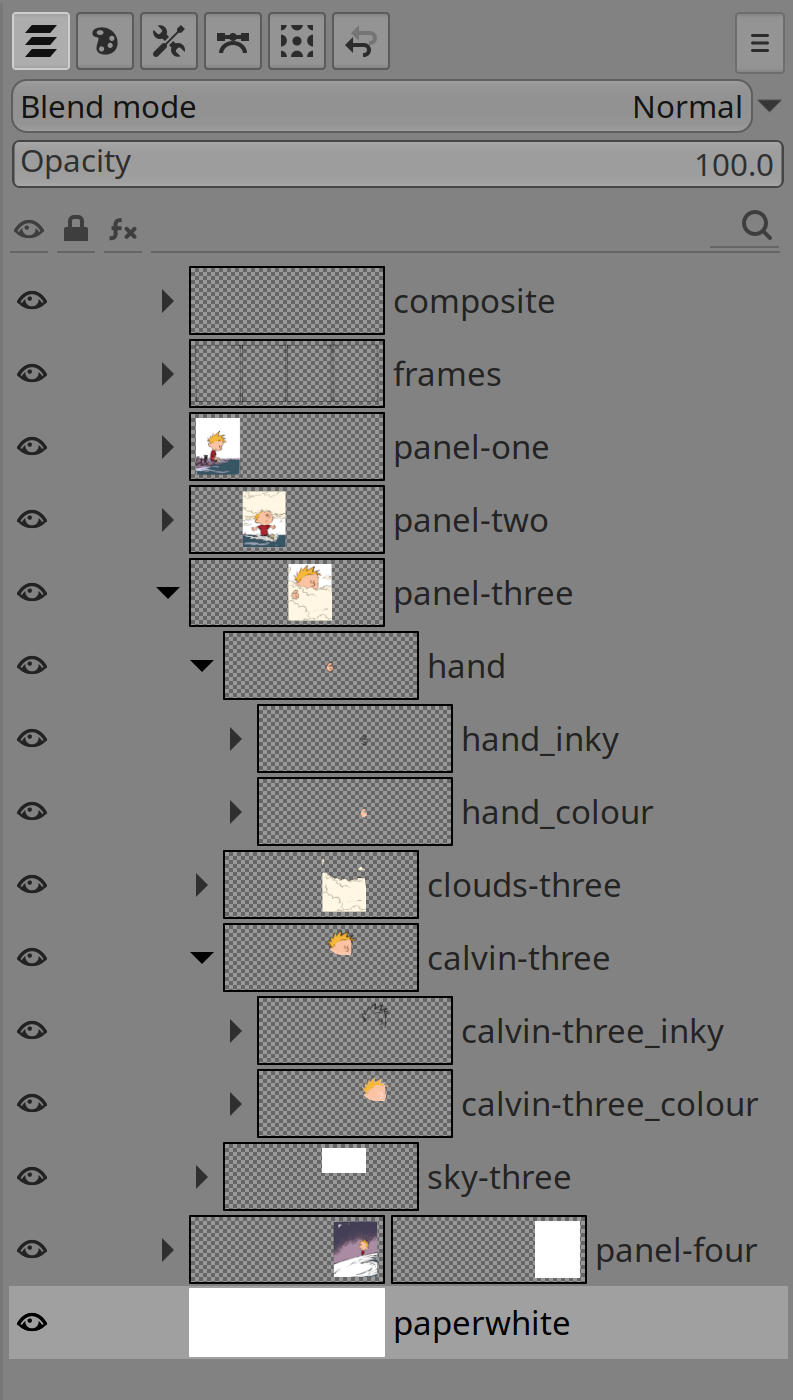
Structured painting
A layered image can be built in stages. Rough marks can sit beneath clean lines, colour can be blocked separately from lighting, texture can be isolated, and alternate ideas can remain available without disturbing the main composition.
Groups make that structure readable. Related pieces of an illustration can move together, blend together, or be treated as a shared part of the artwork while their individual layers remain editable.
Blending and masks
Layer blending controls how one part of the artwork interacts with what is below it. This makes it possible to shade, lighten, tint, texture, or colour-correct without repainting the underlying forms.
Masks add another level of control. They let visibility be painted, softened, hidden, restored, or shaped independently from the layer’s colour content. This keeps edge decisions and tonal transitions flexible throughout the life of a piece.
Picking and navigation
Complex paintings can contain many small pieces. Lumi supports direct, layer based navigation, so artists can move from the canvas back to the layer stack without interrupting the flow of painting.
Hover the cursor over the pixels and press Alt to select the layer under the cursor. If you are using special inking layers, an ink pixel layer is given priority. Press Alt repeatedly over the same pixels to cycle through the available layers at that location.
The goal is to make working with layers feel spatial rather than administrative. If a mark is visible on the canvas, the layer system should help the artist get back to it quickly, without having to scroll through hundreds of layers to find the right one.
Protection and intent
Layers can be protected in different ways so finished work, masks, positions, transparency, or colour decisions are not changed accidentally. These safeguards are useful once an image becomes dense and some parts need to remain stable while others continue to evolve.
This protection supports deliberate workflows: sketch freely where change is welcome, lock down areas that are resolved, and continue developing the image without fear of accidental damage.
Locked paint colour
A layer filled with a single, uniform colour can be locked to a palette colour. Selecting the layer then selects the linked colour in the palette, and changing that palette colour immediately updates the layer.
Painting on a layer with a locked paint colour always uses the linked palette colour. This creates a live connection between the palette and the layer, so colours can be adjusted dynamically while the palette is still being designed.
Non-destructive effects
Filters and effects can be part of a layer’s editable state rather than immediately becoming permanent pixels. This keeps visual changes adjustable and allows an effect stack to remain part of the working composition.
For artists, this means experimentation can stay reversible. A look can be tested, hidden, reordered, refined, or eventually committed when it becomes part of the final image.
Performance for deep files
Layered illustrations can become complex, especially when groups, masks, and effects interact. Lumi’s layer system is designed to keep common painting actions responsive by avoiding unnecessary recomposition whenever possible.
The result is a layer workflow aimed at both control and speed: detailed enough for careful non-destructive work, but still practical for everyday painting.