Palette Editor
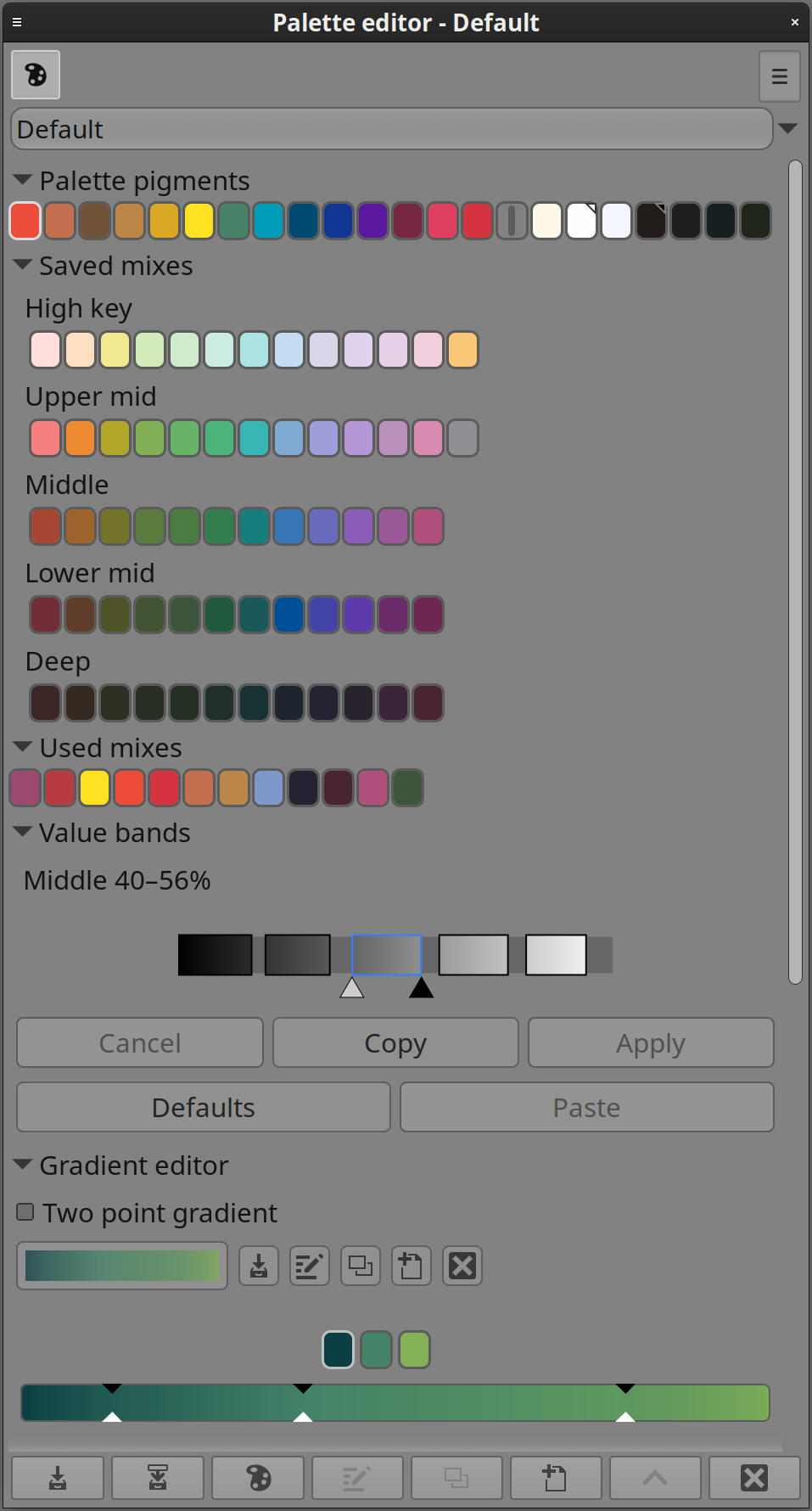
The Palette Editor is where a Lumi palette becomes a complete colour environment. It brings together the pigments a palette is built from, the mixes an artist chooses to keep, the colours used during painting, and the tonal structure that shapes how the palette is explored.
A palette in Lumi is more than a list of swatches. It is a working colour system: a set of ingredients, remembered mixtures, value relationships, and gradients that can guide an entire painting or body of work.
Palettes as artistic constraints
Many painters work best with a limited set of familiar colours. A small pigment set can create unity, establish mood, and make colour decisions faster because every mixture belongs to the same visual family.
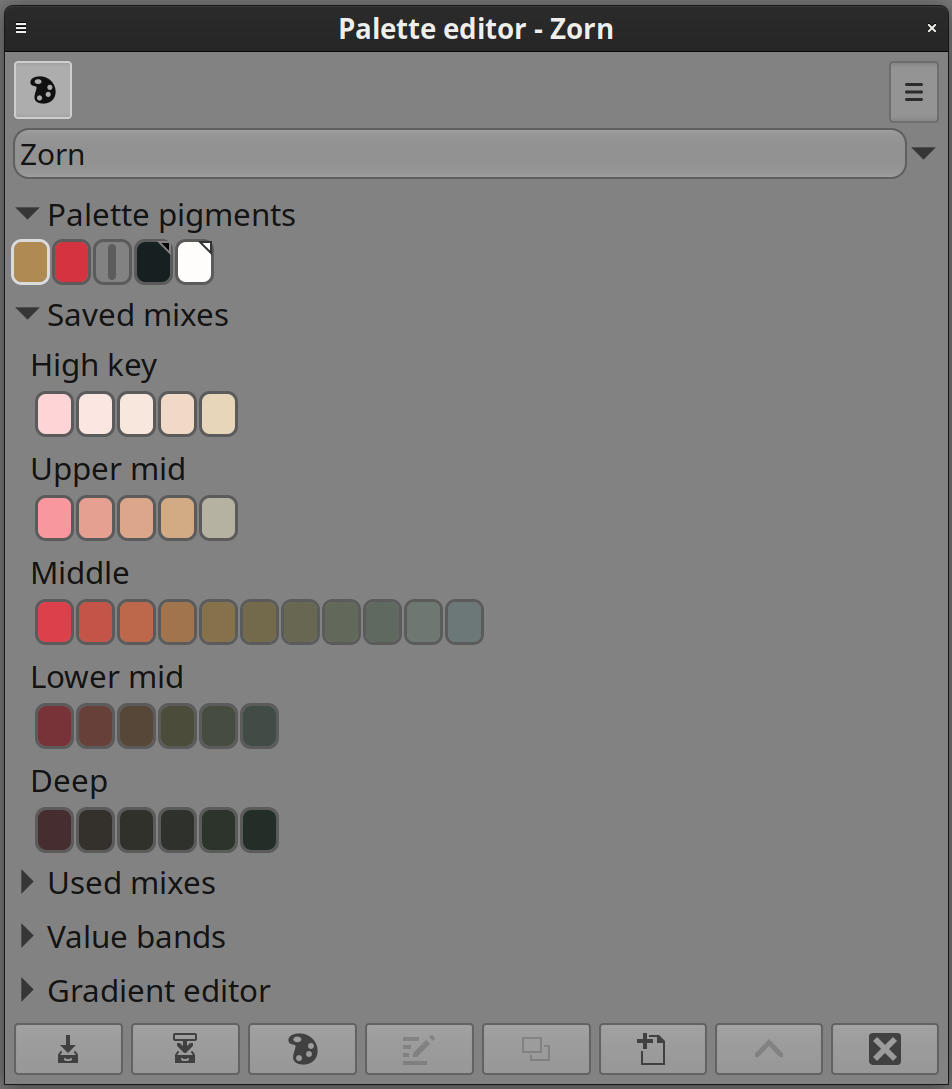
The Palette Editor supports that kind of intentional limitation as well as broader full-spectrum palettes. Artists can keep separate palettes for different subjects, projects, styles, or lighting conditions, each with its own character and mixing behaviour.
Pigments, mixes, and memory
Palette pigments act as the foundation. They define the colours the rest of the system grows from and influence the generated mixes available elsewhere in Lumi’s colour tools.
Saved mixes represent deliberate discoveries: colours worth keeping, naming, and returning to. Used colours form a quieter kind of memory, preserving the colours that actually made it onto the canvas even if they were not saved in advance.
Together, these areas let a palette evolve naturally. It can begin as a pigment set, gather useful mixtures during painting, and gradually become a personalised colour vocabulary.
User pigments
Painters often premix a pile of colour — a Mars red knocked back with a neutral, a tempered yellow, a warm shadow — and treat those piles as the painting’s working primaries. Saved mixes can hold those discoveries, but a mix is not yet a pigment: it does not generate the rest of the palette, and it cannot be added as a pigment to another palette.
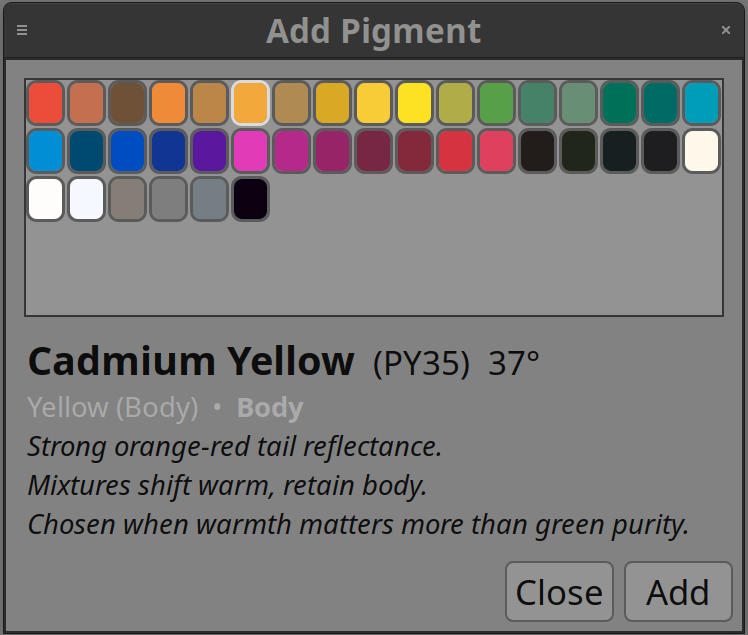
A saved mix can be promoted into a user pigment. It then behaves as an ordinary palette pigment: it generates mixes, appears on the map, and can be picked like any other pigment, while keeping the colour of the mix that was promoted. The same pigment can be added to any other palette from a shared library.
That library stays linked. Renaming, replacing, or deleting a user pigment reaches every palette that uses it, so a working primary can evolve with the artist’s colour vocabulary rather than remaining trapped in one file.
Value-led organisation
Lumi organises palette colours with value in mind because painters often think in light and dark before they think in hue. Grouping mixes by tonal role makes it easier to find a colour that belongs in the right part of the picture, not just one that has the right name.
Palettes can also carry their own sense of tonal spacing. A high-key illustration, a low-key portrait, and a muted landscape may all benefit from different value emphasis, and the palette can reflect that structure.
Gradients and transitions
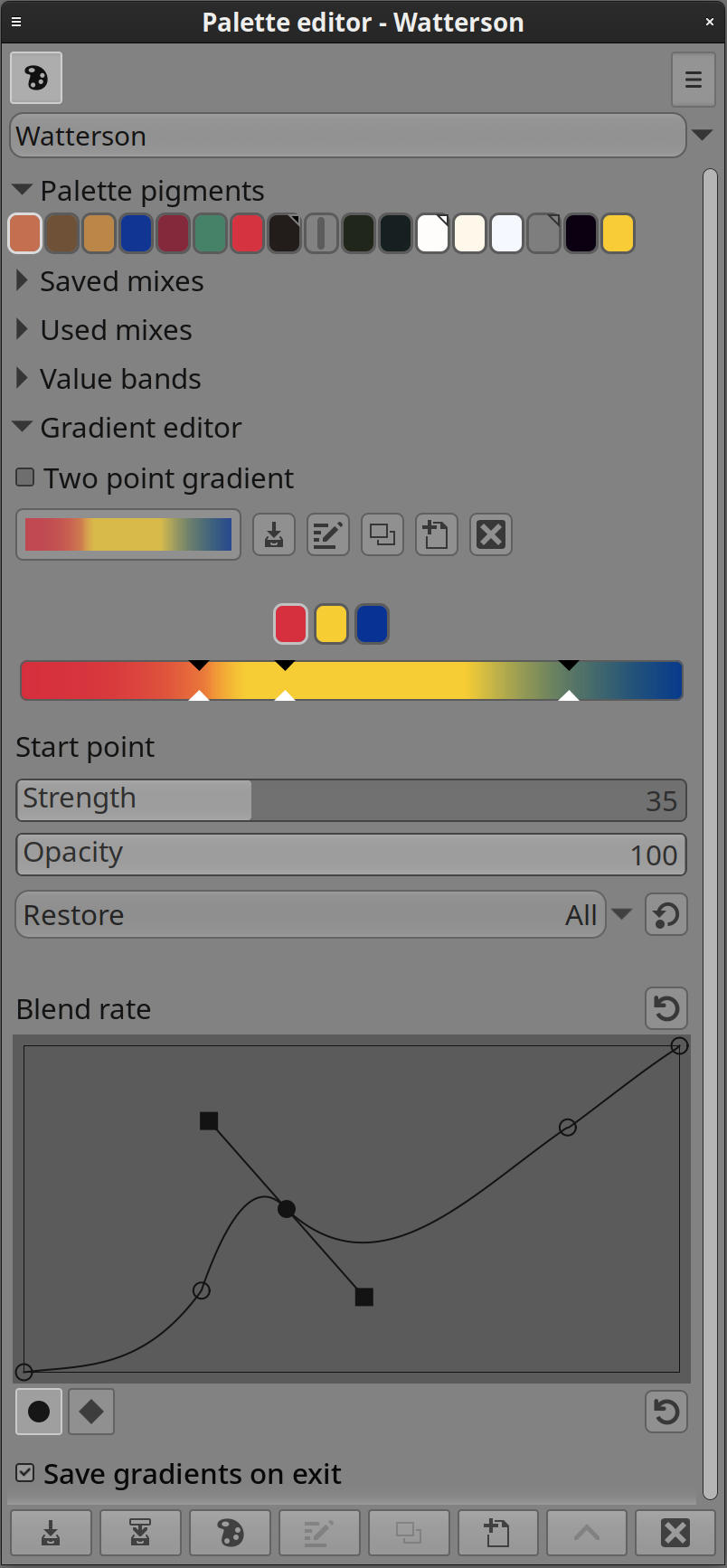
A palette can include gradients derived from its own colours. These gradients are useful for soft transitions, reference strips, lighting studies, and colour movement that stays within the palette’s identity.
Because the gradients belong to the palette, they reinforce the same colour language as the pigments and saved mixes instead of feeling like unrelated additions.
Painting workflow
The Palette Editor is the place for building and refining the colour system, while lighter palette views support quick access during painting. This keeps deep palette design available without forcing it into the foreground every time a colour is chosen.
Overall, the Palette Editor helps turn colour selection into a coherent practice: choose the pigments, explore their mixtures, preserve the useful results, and let the palette become part of the artwork’s voice.